The post Frequently Asked Questions About mSpy appeared first on mSpy Review.
]]> Below is a list of commonly asked questions about mSpy. If you are unable to get your questions answered here, please contact me.
Q: What is mSpy, and how does it work?
mSpy is an excellent cell phone tracker app that makes it easy to keep track of what your kids are doing on their smartphones. It’s available for Android and iOS, letting you read all of your child’s call logs and text messages (even deleted ones), track their GPS location, and monitor their phone activity.
The way it works is simple. Just download the mSpy app on your child’s phone and the app will provide you with the usage details of their phone. If you have mSpy installed on an iPhone or Android phone, you can then monitor the phone’s activity from the mSpy website.
Q: Is mSpy Hidden?
The app is invisible to the monitored user. There are no indications that mSpy is running while it is active. The app has no icons on the phone. It starts automatically every time the phone is powered on and remains hidden from view.
Q: Is mSpy Legal?
mSpy software is 100% legal as long as the phone you are installing it onto is your phone. If you attempt to use mSpy to monitor a cell phone you do not own or have proper written consent to do so by the owner of the phone, you maybe breaking federal and state laws.
As long as you are the parent or legal guardian, and the child is under the age of 18 – you are legally allowed to monitor your child’s activity without informing them.
Q: What happens after I purchase mSpy?
After you’ve completed your purchase, you will receive an email from mSpy that will include your login information, activation details and installation instructions. Installation is easy – just follow the instructions and you should be good to go.
Get 15% off mSpy, the best mobile phone monitoring software available in the market. View this Deal »
Q: Can I install mSpy remotely?
No. mSpy can’t be installed remotely and physical access to the target device is required for installing it.
Q: Do I need to jailbreak or root the target device?
No. mSpy does not require you to jailbreak or root the target device. However, with “jailbroken” or “rooted” devices, you will be able to monitor instant messengers like Snapchat, Facebook Messenger, WhatsApp and Tinder.
Q: Do I need to have internet on the target phone while installing?
Yes. An internet connection is required for the installation and activation of mSpy.
Q: Am I allowed to install this app on somebody else’s phone?
You may only install mSpy on a phone that you own. Before you install the app, you must agree to use it only on a phone you own. mSpy software is designed for ethical monitoring for parents who wish to monitor their underage children.
Q: Is it possible to move my license to another phone?
Yes, you can move your license from one phone to another at any time. All you need to do is uninstall from the first phone and reinstall using the same license on the second phone. One mSpy license can be used on one device only. If you wish to use mSpy on multiple phones, you need to purchase multiple licenses (one license per device).
Q: Can I get a refund? What is the mSpy refund policy?
You can read about the mSpy refund policy by clicking here. There’s a 14-day money back guarantee if it doesn’t work for you.
The refund may apply only to the first mSpy subscription. No refund will be available on additional purchases or more than one subscription at one time. You may send your refund request by email to [email protected].
Want to know more? Check out the mSpy review for more details.
The post Frequently Asked Questions About mSpy appeared first on mSpy Review.
]]>The post mSpy Without Jailbreak appeared first on mSpy Review.
]]>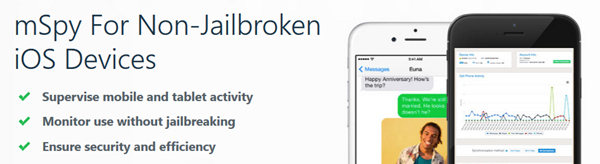
mSpy allows you to monitor your child’s iPhone and iPad activity without jailbreaking the device. You will be able to view your child’s activities such as text messages, call logs, contacts, websites visited and WhatsApp messages.
If you want to monitor an iPhone with almost all other types of standard phone monitoring software, you have to first jailbreak the phone. Once the iPhone has been jailbroken, then you can download the software onto the phone.
If the parent or employer (in this case, you) did not know how to jailbreak or don’t know what it is, then they would not be able to use the spy software on iOS devices. Which would make the software virtually useless for iPhone monitoring purposes.
mSpy has released a new monitoring tool for iOS, called “mSpy Without Jailbreak” – as the name suggests, it allows you to monitor an iPhone without jailbreaking. To use it, all you need is the child’s iCloud login information (Apple ID and password).
How Does It Work?
mSpy Without Jailbreak is different in that you don’t have to jailbreak the iPhone to use it. It works by extracting data from iCloud backups. All you need to do is purchase a mSpy license (Basic or Premium), gather your child’s Apple ID and password and connect their Apple iCloud account to mSpy.
I will walk you through the process of adding an iCloud account to the mSpy control panel.
Step 1: Sign up for mSpy
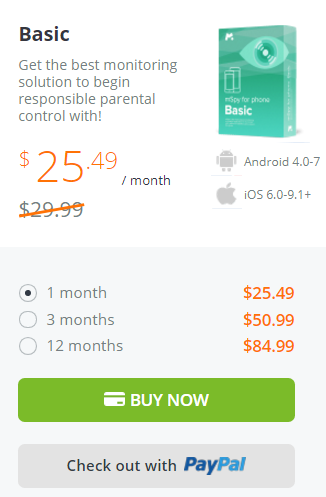
First go to the mSpy website and purchase a subscription. Pretty easy, right? And here is a coupon code just for you, click here and complete the sign-up process, you can get mSpy Basic for only $25.49 — that’s 15% off the regular price.
Step 2: Enable iCloud on the iPhone
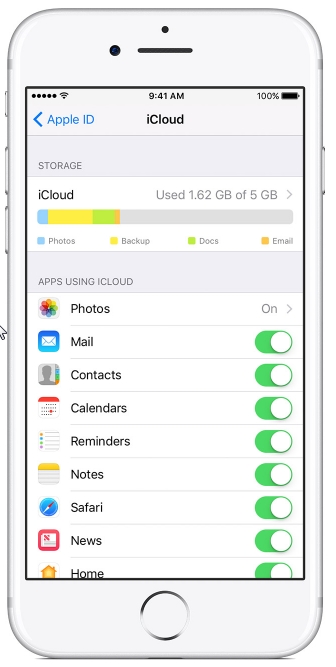
On the target iPhone, go into Settings > iCloud and make sure that iCloud is enabled for each of the categories you would like to track: Mail, Contacts, Calendars, Reminders, and Safari.
Step 3: Add the iCloud account to your mSpy control panel
Once iCloud has been enabled on the target phone, log into your control panel via your account. From there you will be able to select which devices you want to track. Select “iPhone Without Jailbreak” and enter the Apple ID and Password of the target device in the field. Verify the information then click the Proceed button to complete the process.
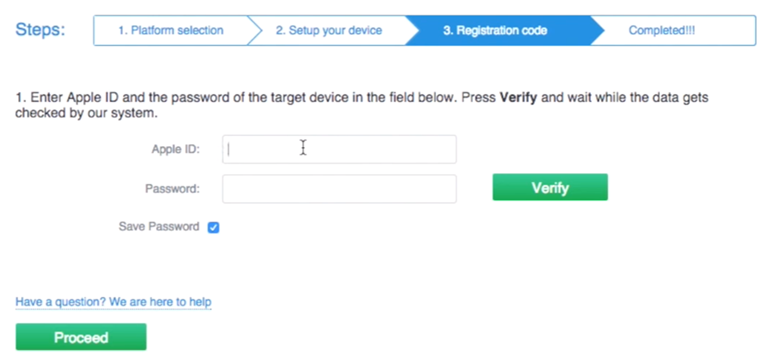
That’s it! This method of monitoring the iPhone’s activity is completely safe and undetectable by the person using the iPhone. There is no indicator that the phone’s Apple ID is being tracked, and there is no other way for the person to find out it’s being tracked.
What You Can Track With mSpy without Jailbreak Solution
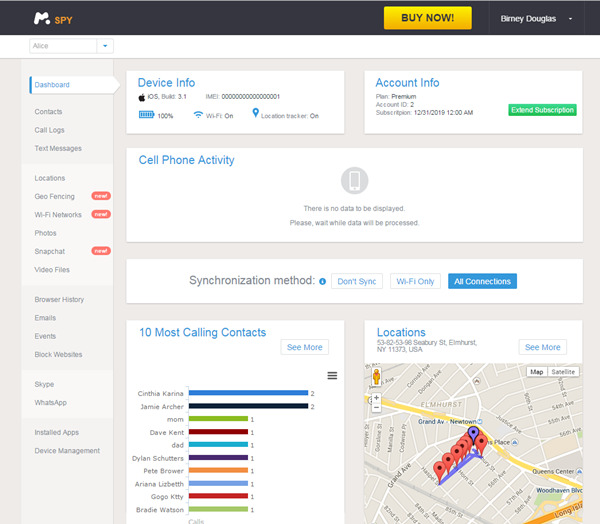
mSpy lets you track the following on any iPhone without having to jailbreak or unlock it:
- Messages. View both incoming and outgoing iMessage, SMS and MMS messages.
- Call history. Monitor inbound and outbound phone calls, complete with phone number and contact name (if applicable).
- WhatsApp. View sent and received WhatsApp chats, including username and timestamp.
- Contacts. View new and existing contacts that have been saved on the device.
- Notes. View notes that have been saved on the device.
- Installed apps. View a list of all the apps installed on the phone.
- Websites visited. See what websites are being used on the iPhone. View the bookmark saved on Safari, along with a link to the corresponding website.
Is mSpy Without Jailbreak Worth It?
In all honesty, it depends.
If you know how to jailbreak an iPhone, or feel confident in learning how to jailbreak an iPhone, then I would recommend the regular version of mSpy. It’s a more complete monitoring software, and offers more and better monitoring options and features.
However, if you’re not comfortable jailbreaking an iPhone, then mSpy Without Jailbreak would be your best iPhone spy software option. To the best of my knowledge, mSpy is the only company offering the unique feature of monitoring without jailbreaking.
Click here to find out even more about mSpy No-Jailbreak Solution.
The post mSpy Without Jailbreak appeared first on mSpy Review.
]]>The post How to Install mSpy appeared first on mSpy Review.
]]>Five things you need to know before installing mSpy
- You need to have physical access to the target phone.
- You need to disable all antivirus and firewalls on the target phone.
- Make sure your target phone is compatible with mSpy.
- If you want to monitor instant messaging, you can, but you’ll need to root the phone.
- To install mSpy, the target phone must be connected to the internet via Wi-Fi or cellular data.
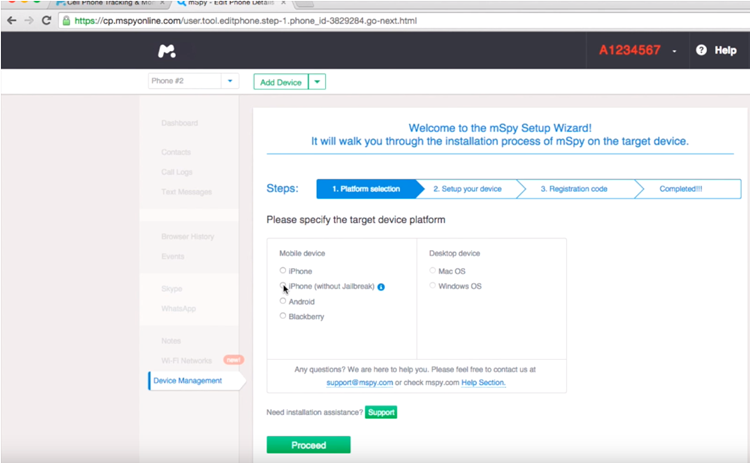
To get started, visit https://www.mspy.com in your browser and log in with your account information. Once you’re logged in, the website will redirect you to the mSpy Setup Wizard page. Next, select the device you want to install the software on and follow the on-screen instructions to finish the installation.
How to install mSpy on an Android phone
Watch the video below to see how to install mSpy on an Android smartphone. Installation is easy and takes less than three minutes.
How to Install mSpy on a jailbroken iPhone
To download mSpy on an iPhone, you will need to jailbreak it first. If you can’t jailbreak the phone, try using the mSpy Without Jailbreak Solution.
How to Use mSpy no-Jailbreak Solution
To use this solution, you will need to know the iCloud credentials (Apple ID and password) of the monitored iPhone.
Once the installation is complete and the phone is back in the hands of the target, they will have no way of knowing that their phone is being tracked. Information such as text messages, call logs, GPS location is all sent to your web account – it all happens in the background without the user’s knowledge.
Can I install mSpy remotely into the target device?
A lot of people ask me, “Is there a way that I can install this software onto a phone remotely?” Unfortunately this cannot be done. mSpy has to be installed directly onto the phone. Once it has been installed, it is totally invisible. There are software vendors that make claims that you can install the software remotely but more than often it does not work as well as they say it does.
Last updated January 10, 2019.
The post How to Install mSpy appeared first on mSpy Review.
]]>The post 7 awesome mSpy features you probably don’t know about appeared first on mSpy Review.
]]>
mSpy is more than just a monitoring software; it gives you the ability to monitor and control your children’s phone usage. It will let you track a phone’s location, lock the phone remotely, block or allow the app, even capture username and password data. You can also see their text messages and emails, even if they’ve deleted them! All of the incoming and outgoing calls are logged to show how long the call lasted and when it occurred. Plus, the person never has to know that the software is on their phone if you do not want them to know.
Here are some of the awesome things you can do with mSpy.
Monitor Social Media
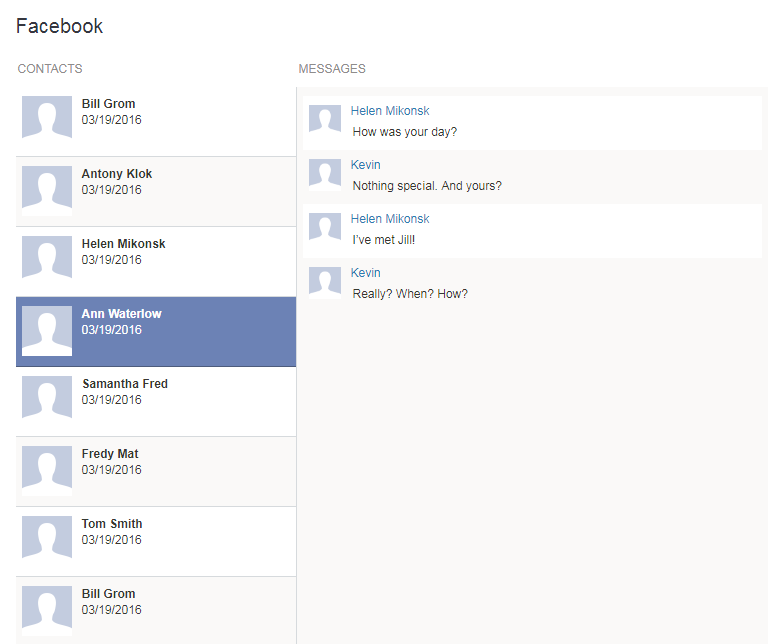
mSpy makes it easy to monitor their social media activity on popular apps including Facebook, Tinder, Snapchat, Instagram, Line, WhatsApp, WeChat, and Skype.
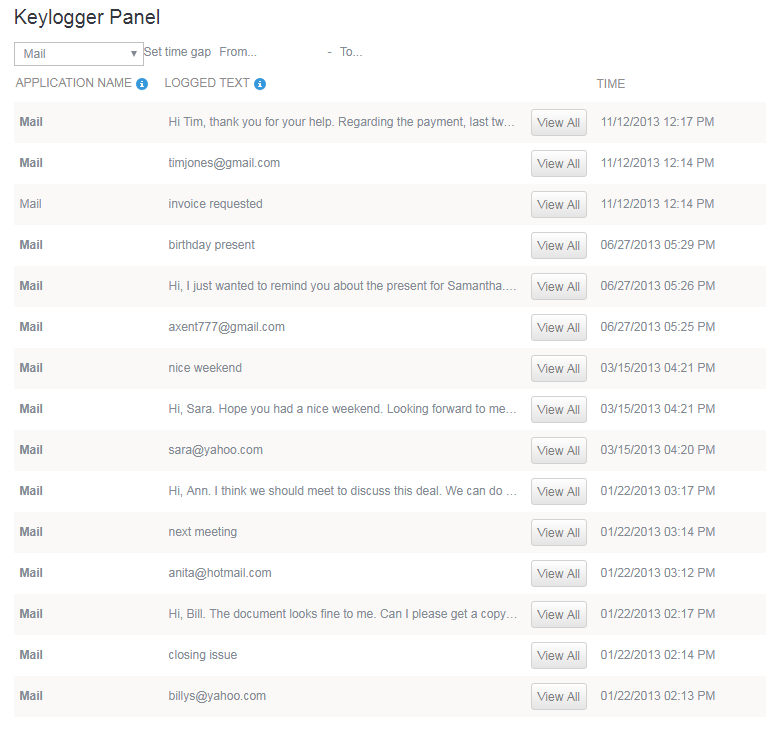
Keylogger
The mSpy app records every keystroke made by the phone user, including passwords, messages and other information.
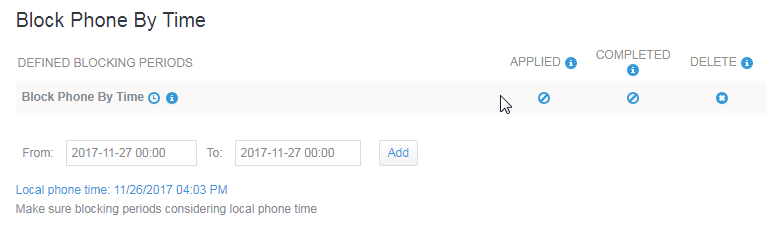
Remote Locking
This feature lets you remotely lock your child’s phone at a specific time, such as when it’s time to study or sleep.
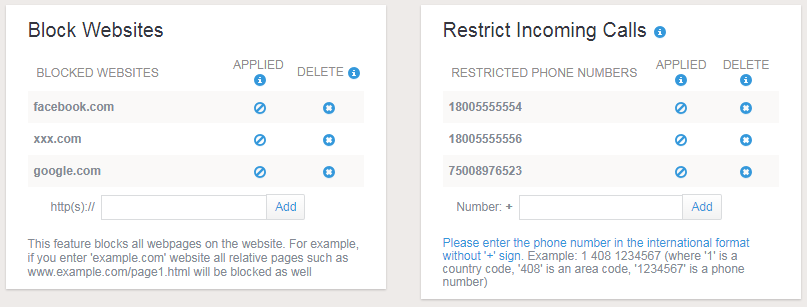
Block Websites and Calls
If your child has access to the Internet on the smartphone it can be difficult to know what websites they are browsing, but with this feature, you can monitor their Web activity and then block certain websites from ever being viewed on their phone again. You can also block incoming calls from specific telephone numbers.
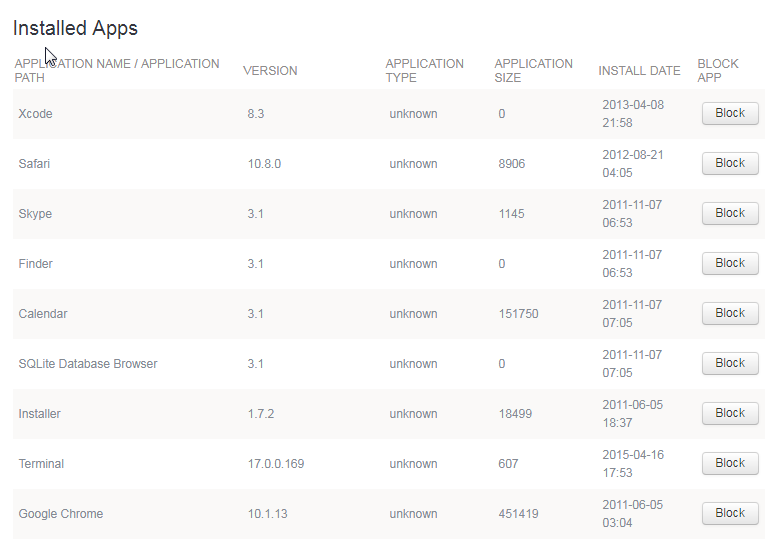
Application Blocking
You can view a list of all apps installed on the monitored phone, including the date and time they were downloaded. From the list of apps installed, you can choose which apps you’d like to block.
Wi-Fi Uploading
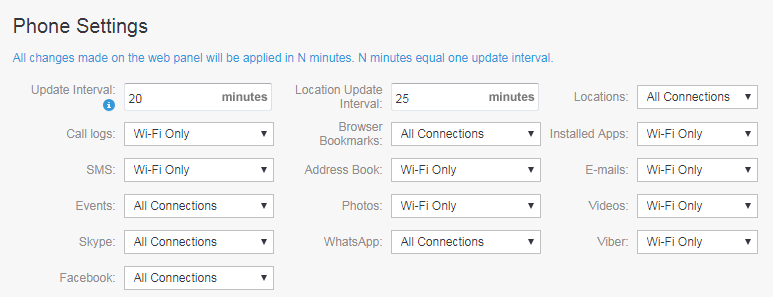
You can now choose whether or not to upload logs to the web panel only when Wi-Fi is available. This helps to reduce the amount of monthly data plan and battery consumption.
Alerts
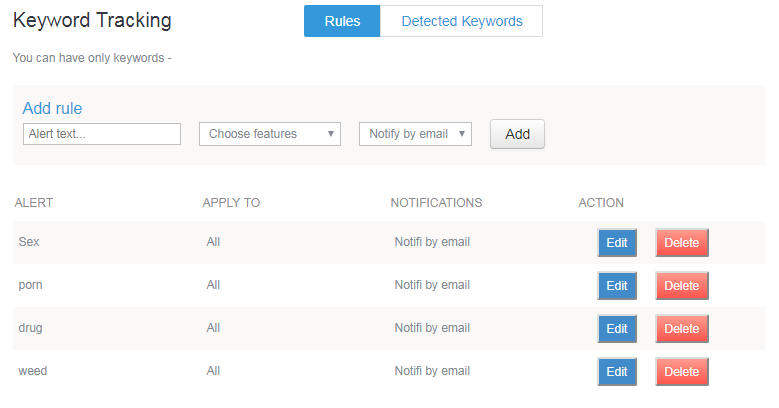
Get alerts on specific words in emails, social media messages and texts. To set up this feature you just need to go to “Keywords” on your mSpy account and add the keywords you want to track.
The post 7 awesome mSpy features you probably don’t know about appeared first on mSpy Review.
]]>The post Easier Installation with mAssistance appeared first on mSpy Review.
]]>
Have you heard of the mAssistance Installation Service? If you haven’t, you’re not alone. The mAssistance Installation Service is an option that mSpy has offered for quite some time now, but many may not know exactly what it is. This installation service takes the idea of technical support and customer service to completely new levels.
Many parents and/or employers who purchase monitoring and parental control software for their smartphones, tablets or computers are on the right track on the road to keeping up with what is going on with their devices in their absence. However, purchasing monitoring software is just the first step, then the software has to be installed. Installation of such monitoring software is not very difficult, but not everyone is completely tech savvy or comfortable enough to install it themselves. This is where mSpy and the mAssistance service step up to the plate.
With this high tech solution to customer service combined with technical support, users can have a highly qualified support agent remotely root or jailbreak the device and install the software for them (users must still have possession of the device to be monitored in order to use the service).
So how exactly does the mAssistance Service really work? Below is a quick look at just how this software works to benefit users remotely:
Step 1: Users will download a small app named “TeamViewer QuickSupport” onto the smartphone to be monitored.
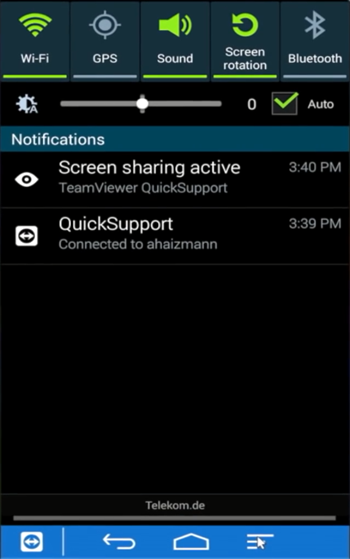
Step 2: Open the TeamViewer QuickSupport app and provide the mAssistance support representative with the device’s TeamViewer ID.
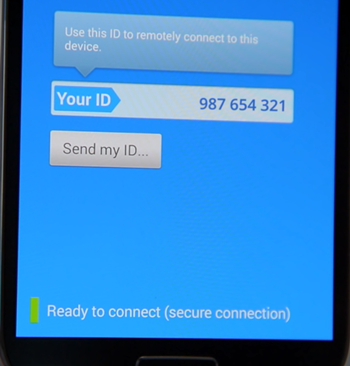
Step 3: The support technician now has remote access and will install the software remotely onto the monitored smartphone.
Step 4: After the mAssistance representative has completed the installation, users can now remove the TeamViewer app and begin monitoring the device.
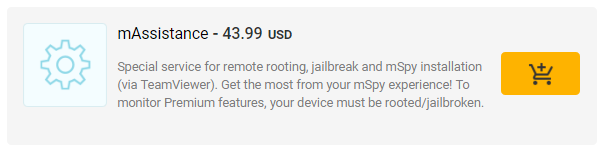
The mAssistance Service is one that many users can now take advantage of. Now concerned non tech savvy users can rest assured knowing the software is installed correctly and can quickly begin with monitoring and using parental controls on their device. The mAssistance installation service is an optional add-on that can be purchased by users for a small fee as low as $43.99.
The post Easier Installation with mAssistance appeared first on mSpy Review.
]]>The post mSpy for Windows and Mac appeared first on mSpy Review.
]]>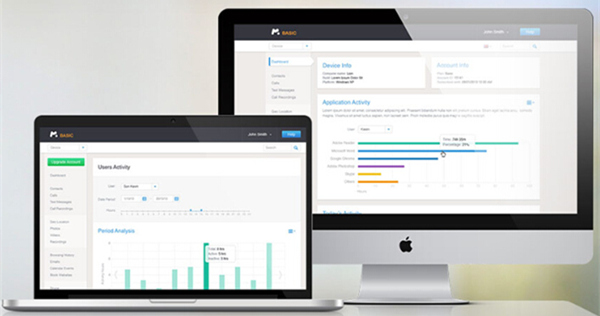
There are a variety of monitoring software available on the market. Some monitor smart phones, some monitor computers, and others monitor both smart phones and computers. It is important that you take the time to understand what type of monitoring logs the system can provide you with.
The monitoring software mSpy, can be used for both smart phones and computers. There are many features included with mSpy that make it a clear choice over its competitors. The fact that it can monitor smart phones and computers is definitely a bonus. Plus, it can be used with Windows, as well as Mac computers. While other computer spy software programs are only designed for a Windows platform.
There are no limitations of this software, as it provides endless monitoring possibilities. Parents can now be reassured that their kids are being monitored efficiently, while employees no longer have to worry about monitoring limitations. It’s a perfect solution for all monitoring needs.
Compatibility
Along with smart phone monitoring you can be assured that mSpy will work with the following computers.
- Mac OS: Mac OS 10.6 – 10.9
- Windows OS: Windows XP x32; Windows Vista x32, x64; Windows 7 x32, x64; Windows 8, 8.1 (without Metro apps)
Purchasing
The software can be brought through the main mSpy website. There are two editions available, Home or Business. You will need to provide a valid email address so installation instructions can be sent to you.
You will have to directly install the spy software to the device. Installation is quick, and you can start spying on a computer within 10 minutes of downloading. From your computer, open the confirmation email, and click on the link that is provided. This will take you to the mSpy control panel. Log into the control panel and follow the step through instructions.

All other monitoring of the computer will be done from a remote location. Users will never know they are being monitored because the software runs in stealth mode.
Feature Overview
The software can be installed on both Windows and Mac computers, and offers a variety of monitoring features.
Screenshots – As the monitored user is busy working on the computer, this amazing software will provide computer desktop screenshots. It will take images at specific intervals. This allows you to see what the user is doing on the computer at any time.
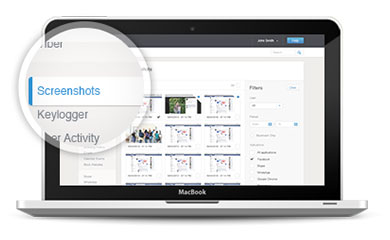
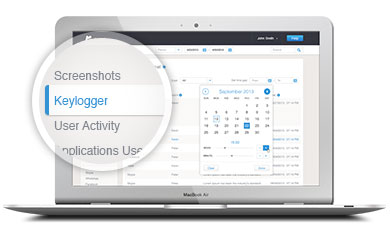
Keylogger – Without being traces, mSpy records every keystroke typed by the user. This provides a detail log of all activity that was typed, such as emails, websites visited, log in details and so on.
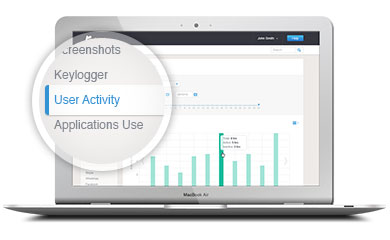
User activity – This feature allows you to see how long the user actively working, as well as in actively working during their time on the computer. Star and stop times will be listed on the monitor logs.
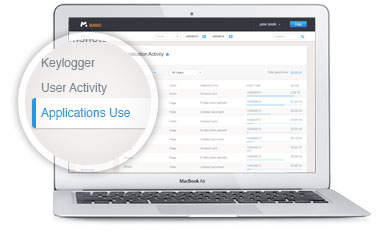
Application’s Use – Gain the ability to see which apps the user is using, as well as the time they spent in each application.
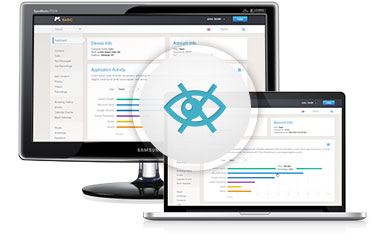
Stealth Mode – The user will have no way of detecting the software as it runs in stealth mode and is untraceable.
Who Is This Software For?
mSpy is the ideal solution for parents, employers, security industry, and networking administrators. It will provide answers to any computer activity that takes place. This makes it easy to enforce punishments and rules.
This advance computer spy software was designed to work on both Windows and Macs. It is the ideal solution for those who are worried about mischievous behavior while on the computer. There are a variety of features, which gives the spy a strong foundation to gather the information that you need.
The post mSpy for Windows and Mac appeared first on mSpy Review.
]]>The post Using mSpy to Track Employees appeared first on mSpy Review.
]]>
Employers have a hard time fining employees that are trustworthy. Some jobs come with many perks like free company phones or company cars. The problem is, are these employees using these perks for other questionable activities during business hours?
There is a new advanced way for employers to track their employees and know what they are doing while at work. Its called mSpy, and it is the most advanced mobile device monitoring system. The software is easy to install and monitoring begins instantly.
How do you see the monitored activity?
Before an employer gives the mobile device to the employee, the spy software should be installed. Once the software is installed, he employee will never know they are being monitored because the software is non-traceable. Reports are uploaded to the software’s user control panel, and can be viewed from any internet ready device. Within the control panel, employers will find detailed reports of all mobile device usage.
What type of features does the software have?
This software offers a wide variety of features that monitors every aspect of the user device. You can view incoming and outgoing calls, emails, text messages, and social media. This software even has a feature that uses GPS location, which is especially useful for employees that work off site. Employers can ensure that they are in the places they need to be.
If an employer is suspicious that their employee may be leaking company information, they can record phone conversations and even interrupt if necessary. mSpy was designed with employers in mind, because they made features to help ensure workers are working when they are on the job. The software even gives a detailed history of internet usage, which includes the websites visited, date, time, and how often it was visited. Employers can block applications so that the user cannot use the app. This is useful when it comes to social media like Facebook or Skype.
What type of support does the software offer?
mSpy is aware that you are dealing with delicate issues, and that is why they have a variety of options to help you when problems arise. Support is offered 24 hours a day through a toll-free phone number, Skype, or live chat. Getting the help you need is easy.
Is the software expensive?
Ensuring that workers are doing the job they are being paid to do is important. Jobs are hard to come by, and that is why employers want to make sure the people they hire are trustworthy and produce quality outcomes.
The Basic Package: This package does not offer all the monitoring features, but it does serve as a great option for employers who need answers on one employee that they are certain is partaking in questionable behavior. For employers, this would be a quick package to catch an employee in the act without paying a lot of money.
- 1 month = $39.99
- 3 months = $59.99
The Premium Package: This package offers all the features which allow employers to test out their employees for a short period of time, and see who is and who is not doing what they are suppose to be doing.
- 1 month = $69.99
- 3 months = $119.99
- 6 months = $149.99
- 12 months = $199.99
The Business Package: This package offers employers the option to monitor a minimum of 5 users.
- 6 months = $499.95
- 12 months = $799.95
Employers can now get the answers they need about their workers’ activity. mSpy was designed with employers in mind, and that is why they offer only the highest quality and most advanced features on the market.
The post Using mSpy to Track Employees appeared first on mSpy Review.
]]>The post How to Read Deleted Text Messages appeared first on mSpy Review.
]]>
mSpy allows parents to see the texts, instant messages and emails sent to and from their children’s smartphones. It’s all fine and dandy if the child is just doing casual texting and is not too worried about someone getting a hold of their text messages. If the child is actually up to something, they will most definitely be deleting their text messages. One of the main reasons people use mSpy is to read deleted text messages from a cell phone.
So how does a person view deleted messages from their target’s cell phone? Is there a way to retrieve deleted texts? Well, you wouldn’t need to ‘retrieve’ anything if it wasn’t gone in the first place. mSpy can help you get a hold of the deleted text messages from your target’s phone like they were never deleted.
How does mSpy do it?
OK, we’re going to get a little technical here. Once mSpy is installed onto a phone and activated, it works in the background – much like Dropbox and Google Drive. This means it scans the monitored phone after a specific period of time and if it finds any new data that it may need to upload, it saves that data in its own data table. It then checks if the phone is connected to the internet before it uploads the new data to the online user interface. If it doesn’t find an internet connection, the data will remain saved in mSpy’s data tables on the phone and will be uploaded once the phone connects to the internet.
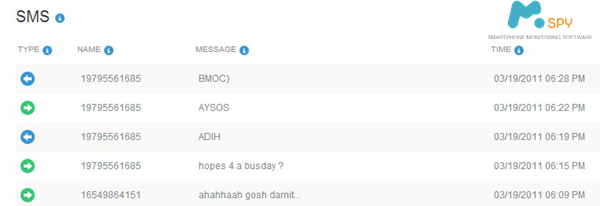
This means that even if your target has deleted the text messages from their phone, if mSpy caught the message when it scanned the phone, it will upload the message as any deletion does not affect the mSpy data tables.
See what your child is texting
Many times, you might be tempted to simply take your child’s cell phone and take a look through all the text messages. It may be that you do it while your child is not in the room, or maybe when your child leaves their phone laying around like most teenagers do. But what if they catch you while skimming through their phone? Certainly, this would lead to a big argument between you and your child that would not end well. After that they would be more conscious about their texting on the phone and might delete everything in their phone. This would definitely not help you to find out who your child is texting and what they are texting about.
The best way to find out what your child is texting is through a mobile monitoring app like mSpy. It can easily be installed on their phone and after installation, you can view all sent & received text messages with full details including who sent them and when etc. Even if your child has deleted the text messages, you will still be able to view them.
The best part of this monitoring app is that it silently in the background and stores all logs in the parent’s private account, which is accessible from anywhere in the world.
The post How to Read Deleted Text Messages appeared first on mSpy Review.
]]>The post mSpy Is The Best iPhone Spy App You Will Find appeared first on mSpy Review.
]]>mSpy allows the owner of any phone to track the usage, location, surroundings, and even the address book of the target phone all while running invisibly in the background. Simply installing the app on the phone you want to track will send all the desired data instantly to your secure online account where you control the level of surveillance. mSpy runs completely in the background without the user ever noticing. Loaded with helpful features and backed by a 24/7 professional support team, mSpy is the only solution you need for all of your phone monitoring and surveillance needs. mSpy is simple to install and available for a number of operating systems.
Monitor Phone Calls
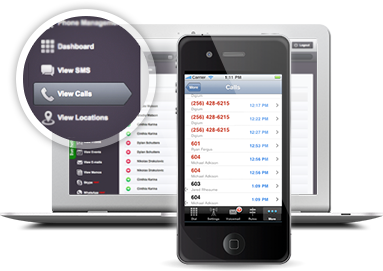
Whether you just want to log phone calls or generate a comprehensive report of the activities of your target phone, mSpy has the tools you’re looking for. Their call monitoring features let you generate phone logs and even record phone calls remotely to your online account. You can also record all SMS/MMS messages and messages sent from instant messaging apps such as Skype, Facebook, Viber, and iMessage. Finally, block specific phone numbers completely from your control panel.
Track Internet Use
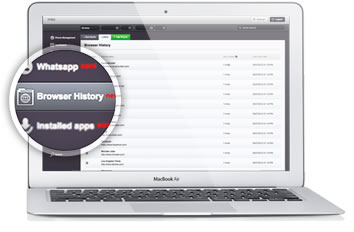
mSpy allows you to do more than just monitor browsing history. Check website bookmarks and even block specific websites using your online control panel. You can also intercept and read emails and check the address book of your target securely. mSpy allows you instant access to the content of all incoming and outgoing emails from any target device no matter what external email service they use.
Track GPS and record surroundings
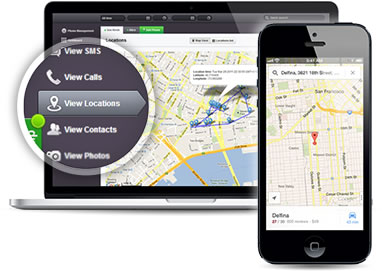
Track your target phone’s GPS location in real time safely and securely anywhere from your online control panel. Get detailed reports on routes during specific time frames, even when a GPS signal isn’t available. All information appears on a comprehensive, detailed map. mSpy is even capable of recording using the phone’s microphone and sending the audio to your online account.
Control Apps and Multimedia Files
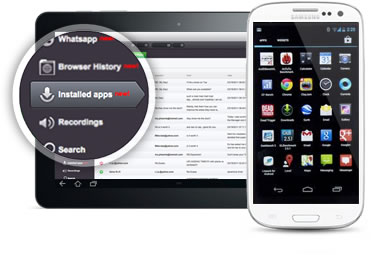
Not every app is safe. Even some games can pose security threats or disguise viruses. Control what apps the phone user is able to access and see every app installed on the phone. You can also block certain apps or certain kinds of apps from even being stalled on the phone. You can also view all photos or other multimedia files, and download them remotely.
Control The Target Device Remotely and Get Comprehensive Reports
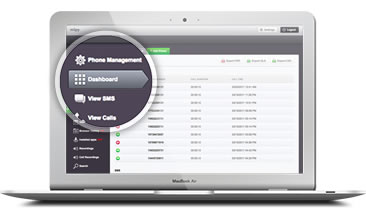
If the target phone is stolen and contains sensitive data, mSpy iPhone spy app allows you to remotely activate a total device wipeout and delete all data on the phone. The wipeout is completely irreversible, and can quickly stop any potential risk of sensitive data falling into the wrong hands. mSpy can also lock or unlock the device remotely to avoid needing a wipeout. Whether you have one device or multiple devices, mSpy can generate reports by device, groups, activities or time period and can export them to multiple file formats.
The post mSpy Is The Best iPhone Spy App You Will Find appeared first on mSpy Review.
]]>The post mSpy Parental Control appeared first on mSpy Review.
]]>
mSpy is a stealth parental control app which allows parents to monitor everything their children do while using their cell phone. This includes activities such as every text message sent or received, every dialed or received phone call, as well as photos and videos captured by the phone. Voted #1 among the best cell phone monitoring apps by BestPhoneSpy, this parental control allows parents to view actions by logging into the hidden interface on the phone itself, or they can log in to a secure web panel from any web browser to view recorded logs.
mSpy parental control falls into three different categories:
Usage Control: This parental control feature puts the parent in charge of a child’s phone usage, regulating the number of calls and text messages. mSpy also records all text messages and information about each call. This gives parents more information about which numbers need to be blocked. So they can control and block certain numbers or restrict outgoing calls to a pre-approved list, and even disable the phone during certain times of day, like school hours or after 10 pm.
Location and Monitoring Control: These parental control features can be used to monitor a child’s whereabouts through built-in GPS systems. Parents can also get immediate GPS locations by sending a silent SMS message to their child’s phone, the monitored phone will not show anything on the screen. Parents will get a reply message stating the coordinates at that specific time, which can be very useful for parents to track when a child’s phone moves out of a pre determined zone or range.
Content Alerts: mSpy allows parents to set keyword alerts for whatever keywords they suspect. The alert system automatically notifies parents if their child sends or receives specific keywords on their phone. This option allows parents to generate a list of words and phrases that trigger the alert. Parents can also receive an alert if their child tampers with the applications or tries to disable the it from his or her phone.
mSpy is a useful app for parents who need to monitor their children’s phone use. This app enables parents to protect their children and to manage their phone use. It is easy to set up and use, and it provides complete control over what each phone user can see and do. Ensuring that children can use phones and the internet safely is of the utmost importance. Using the mSpy parental control software, it is possible to restrict children’s access to the internet in order to prevent them from accessing websites or applications that are unsuitable for them. Parents can decide which websites and applications their children should have access to, and specify keywords that should be blocked.
The app also monitors phone usage and records details of the applications that have been used and the websites that have been visited, along with screenshots showing parents exactly what their children have been doing. Keystrokes can also be recorded for extra security.
mSpy can also be used to limit the length of time that a child spends on the phone. It can be used to schedule a specific time limit for each child, so that they can only use the phone at times when they have been given permission to do so, and to limit their phone use to a certain length of time per day or week. This can prevent children from spending too much time on the phone and ensure that siblings share the phone fairly.
The post mSpy Parental Control appeared first on mSpy Review.
]]>